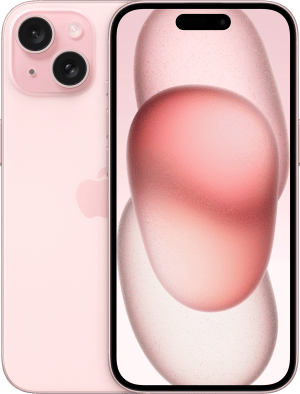
Unlocking iPhone Secrets: 10 Hidden Features You Didn't Know Existed
Are you ready to unlock the secrets of your iPhone? Despite being one of the most popular smartphones in the world, many users are unaware of its hidden features that can significantly enhance their user experience. From customizing settings to utilizing built-in apps more efficiently, the iPhone is packed with tools designed to streamline your daily routine. In this article, we will explore 10 hidden features that you didn't know existed, helping you make the most out of your device.
- Back Tap: This feature allows you to double or triple tap the back of your iPhone to trigger specific actions. You can enable it by navigating to Settings > Accessibility > Touch > Back Tap.
- Hidden Trackpad: When typing, you can press and hold the space bar to convert your keyboard into a movable trackpad, making it easier to edit text.
- App Library: Swipe left to reveal the App Library, a feature that automatically organizes your apps into categories.
- Picture-in-Picture Mode: You can watch videos while using other apps by enabling Picture-in-Picture mode when watching videos.
- Custom Vibration: Set unique vibration patterns for specific contacts under Settings > Sounds & Haptics > Ringtone > Vibration.
- Hiding Photos: You can hide photos from your main library by selecting the photo, tapping share, and choosing Hide.
- Notes Scanning: Scan documents directly into the Notes app using the scanning feature within a new note.
- Smart Search: Swipe down on the home screen to access Spotlight, which allows you to search for apps, emails, and even perform calculations.
- Find My Network: Locate your lost devices even when they're offline using the Find My app.
- Siri Shortcuts: Automate tasks by creating shortcuts for Siri to perform various functions with a simple voice command.
If you're looking for the best protection for your device without compromising its sleek design, consider the Top 10 iphone 17 pro max slim clear case. These cases offer a perfect blend of style and durability, ensuring your iPhone stays safe while showcasing its elegant aesthetics. With various options available, you can find the ideal case that fits your lifestyle and preferences.
How to Maximize Productivity with These Overlooked iPhone Tools
In the fast-paced world of today, many users overlook the powerful productivity tools that come pre-installed on their iPhones. One of the most effective yet underrated features is the Shortcuts app, which allows you to automate tasks and create personalized workflows. By setting up a series of automated actions, you can streamline repetitive tasks, saving you both time and effort. For example, you can create a shortcut to send a daily message to your team or compile a report from your notes with just a tap. This not only maximizes your productivity but also helps you focus on what truly matters.
Another invaluable tool is the Notes app, which many see as merely a place to jot down thoughts. However, by utilizing features like checklists, document scanning, and collaboration options, you can transform your note-taking into a robust productivity method. Use checklists to prioritize tasks and mark them as you complete them, which can significantly boost your efficiency. Additionally, sharing notes with collaborators ensures that everyone stays aligned, making team projects smoother and more productive. By tapping into these overlooked iPhone tools, you can enhance your workflow and achieve your goals more effectively.
Are You Using Your iPhone to Its Full Potential? Discover These Game-Changing Features
Are you truly maximizing the capabilities of your iPhone? Many users are unaware of the hidden gems tucked away in their device. From productivity tools that streamline daily tasks to customization options that enhance user experience, there’s a wealth of features at your fingertips. For instance, did you know that the Shortcuts app allows you to automate tasks and create personalized workflows? This powerful tool can help you save time and simplify everyday activities like sending messages or adjusting settings, ultimately allowing you to use your iPhone more efficiently.
Moreover, your iPhone comes packed with innovative features that extend beyond basic functionality. Explore features like Focus Mode to minimize distractions, or take advantage of the advanced camera capabilities for stunning photography. You can even use FaceTime for immersive virtual meetings. If you're keen on customizing your experience, consider creating an iCloud account to back up your important files and access them seamlessly across your devices. These game-changing features empower you to unlock your iPhone's full potential and transform how you interact with technology.